Cool pfp ideas help people make a strong first impression online. The reader sees the image first and forms a quick judgment. The guide lists clear options and quick steps. It shows how they pick a PFP that fits their goals and platform. The writing stays direct and practical so the reader can act fast. Below are practical, actionable suggestions for implementing cool pfp ideas across skill levels and platforms.
Key Takeaways
- Choosing cool pfp ideas helps create a strong first impression and reinforces personal branding online.
- You can quickly make a cool PFP without design skills using free apps for cropping, brightening, and adding simple graphics.
- Ensure your profile picture meets technical requirements like correct size, centered cropping, and good contrast for optimal display across platforms.
- Minimalist and abstract PFP styles offer a clean, modern look that scales well and suits professionals and creators.
- Illustrated and cartoon avatars provide a playful, unique identity ideal for gamers, streamers, and social media personalities.
- Realistic and cinematic photo-based PFPs convey professionalism and authenticity by using good lighting and natural poses.
Why Your PFP Still Matters—First Impressions And Personal Branding
A profile picture shapes how others perceive a person online. Viewers form an impression in seconds. That impression affects follows, messages, and trust. A strong PFP signals intent, style, and credibility. It helps a person keep visual consistency across platforms. Brands and creators use PFPs to increase recognizability. Recruiters and collaborators use PFPs to judge professionalism. The reader should treat the PFP as a simple brand asset. They should test images and keep the version that gets the best response.
Beyond first impressions, a PFP functions as a memory hook: repeated exposure to the same visual element increases recognition. For people building a niche—designers, educators, entrepreneurs—consistent PFP styling (color, framing, facial expression) reinforces the broader brand. Consider the audience and platform: a professional networking site favors cleaner, more realistic PFPs; casual or entertainment platforms tolerate bolder, stylized images. Keep a short list of three cool pfp ideas tailored to your goals (e.g., professional headshot, minimalist monogram, playful avatar) and rotate only after evaluating engagement.
Quick Ways To Make A Cool PFP Right Now (No Design Skills Required)
A person can make a cool pfp ideas image in minutes. They can use free apps that crop, brighten, and add simple filters. They can take a clean selfie against a plain wall and crop to the face. They can use a solid color background to boost contrast. They can add a small graphic or initials with an app template. They can export at the correct size for the platform. They can test variants and keep the one with the most positive response. These steps require no design training.
Step-by-step quick method:
- Choose your goal: professional, casual, or creative. That determines color and expression.
- Find a plain background or use an app background remover to isolate the subject.
- Crop tight to the face or icon so thumbnails still read well.
- Boost exposure slightly, increase contrast, and sharpen lightly for small sizes.
- Add one simple element: initials in a corner, a colored border, or a small icon that signals your niche (camera for photographers, music note for musicians).
If you want immediate variants, save three versions: one with neutral lighting and expression, one with a tight crop and colorful background, and one stylized avatar. Upload them to the platform and compare which generates more profile visits or follows over a week—small tests reveal what resonates with your audience.
Technical Tips For Perfect PFPs: Size, Crop, Colors, And Readability
A correct image size prevents awkward compression. Platforms often use square or circular crops. A person should center the subject and leave breathing space around the face. They should save at 72–300 DPI and use PNG or high-quality JPG. They should increase brightness slightly for small displays. They should avoid tiny text and small logos. They should use contrast to separate the subject from the background. They should test the PFP at 48–128 pixels to confirm readability. They should keep file size under platform limits to avoid auto-compression artifacts.
More practical checks before uploading:
- Make a circular preview: place your square image inside a circle to check for clipped elements.
- Confirm important details are visible at thumb size by zooming out to see the 48–64 pixel view.
- Use high-contrast color pairs (dark on light or light on dark) for icons and monograms so they remain legible.
- Avoid gradients with very subtle shifts that disappear at small sizes; prefer bold blocks of color for recognizability.
- Rename files clearly and export at platform-recommended dimensions to reduce server-side resizing artifacts.
Also consider accessibility: make sure your PFP doesn’t rely solely on color to convey meaning (add a simple shape or initial if color is removed) and choose color combinations with adequate contrast for viewers with visual impairments.
Creative PFP Ideas By Style: Minimalist & Abstract Options
Minimalist PFPs use simple shapes and few colors. A person can use a bold circle, a single-letter monogram, or a flat icon. They can choose a muted palette or a high-contrast pair. Abstract PFPs use gradients, geometric patterns, or textured noise. They can blur the background and push the subject outline. They can use one accent color to draw the eye. Minimalist and abstract images scale well to small sizes. They suit professionals who want a clean, modern look. They also work for creators who prefer subtle branding.
Concrete minimalist ideas to try:
- Monogram inside a bold shape: initials on a solid color circle with 1–2 accent colors.
- Silhouette or outline: simple black or white silhouette over a contrasting field.
- Geometric crop: tightly crop a face or logo into a triangle or circle for a modern feel.
- Subtle texture: a low-contrast grain or paper texture over a flat color to add depth without clutter.
Abstract approaches:
- One-color gradient with a centered icon or letter to combine texture and clarity.
- Soft-focus portrait with a single-color overlay to unify mood and brand palette.
- Geometric pattern crop: repeat a simple motif (dots, stripes) and position the subject so a distinctive section shows in the thumbnail.
Creative PFP Ideas By Style: Illustrated, Cartoon, And Avatar Concepts
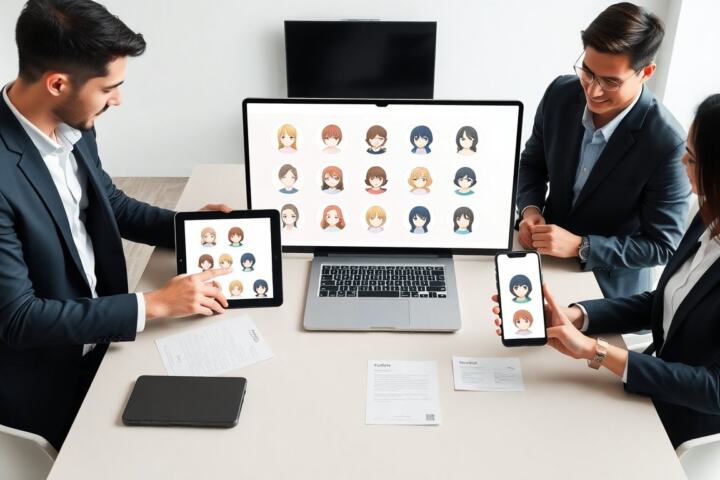
Illustrated avatars give a playful, approachable vibe. A person can commission a simple line portrait or use an app to create a stylized cartoon. They can emphasize a signature feature like hair or glasses. They can pick a color scheme that matches their banner or content. Cartoon PFPs help creators stand out on social feeds and in comment sections. Avatar concepts work well for gamers and streamers. They allow a person to maintain privacy while communicating personality.
Tips for avatars that read well:
- Simplify details: focus on clear shapes and bold outlines so features remain identifiable at small sizes.
- Choose three colors max: two base colors and one accent to prevent visual noise.
- Highlight one characteristic (hat, glasses, beard) so the avatar becomes memorable.
- Use a consistent style across assets (banner, thumbnails) to strengthen recognizability.
Creative PFP Ideas By Style: Realistic, Cinematic, And Photo-Based Looks
Realistic photo PFPs use strong lighting and clear focus. A person can use side light or a softbox to add depth. Cinematic PFPs use color grading and shallow depth of field. They use lens blur to separate the subject from the background. Photo-based looks work well for professionals and artists who want authenticity. A person can pose at a slight angle and show a confident expression. They can add a subtle vignette to guide the eye. They should keep the image natural and avoid heavy retouching that looks fake.
Practical portrait tips:
- Use a three-quarter angle rather than straight-on for more dynamic composition.
- Keep shoulders visible to add context and scale—don’t crop too close to the top of the head.
- Choose clothing that contrasts with the background and avoids busy patterns that disappear at small sizes.
- For a cinematic look, apply a slight color grade (cool shadows, warm highlights) but check that skin tones remain natural.
Final checklist before replacing your PFP: does it communicate your intent, read clearly at thumbnail size, and match other elements of your profile? If yes, consider it one of your go-to cool pfp ideas and use it consistently across platforms for the best effect.