
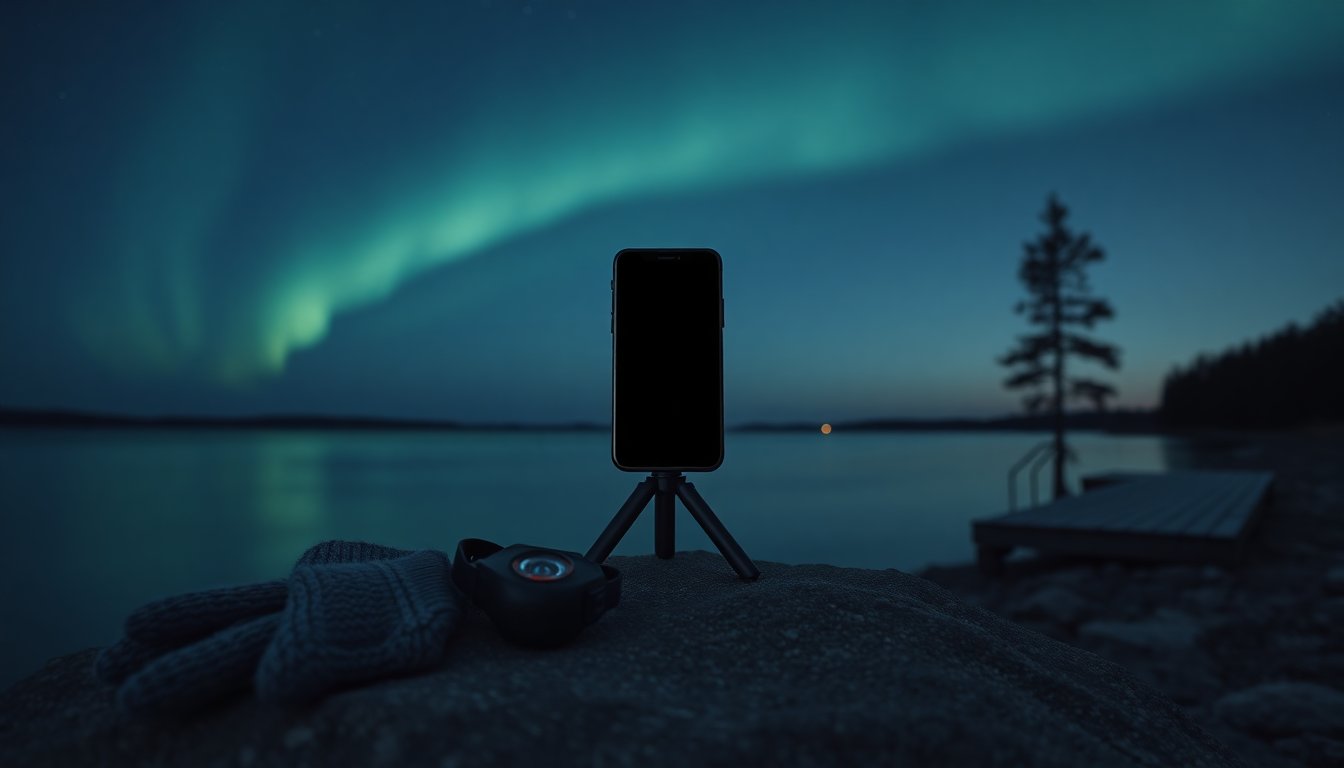
You can capture the northern lights with a smartphone by choosing a dark site, using long-exposure or manual camera modes, and keeping the phone perfectly steady. This guide explains what to plan for, the camera settings that work best, and a practical shooting workflow so they don’t end up as faint streaks. It assumes a modern phone with night or pro controls and a willingness to experiment on cold nights.
Key Takeaways
- Capturing the northern lights with a smartphone requires selecting dark, light-pollution-free locations and planning for clear skies during peak aurora times.
- Use the phone’s Night or Pro mode to set long exposures between 5–15 seconds and ISO 400–1600 to balance brightness and noise for vivid aurora photos.
- Stabilize your smartphone using a tripod or a solid surface and use a timer or remote shutter to avoid camera shake during long exposures.
- Include an interesting foreground like trees or mountains to add scale and depth to your aurora shots for more memorable compositions.
- Experiment with bracketing exposures and shorter shutter speeds when the aurora is active to freeze details and capture optimal brightness.
- Utilize manual focus locked to infinity and shoot in RAW format when possible to enhance post-processing flexibility and image quality.
Plan Ahead: Location, Timing, And Weather For Best Auroras
Plan Ahead: Location, Timing, And Weather For Best Auroras
Success starts before the phone comes out. Dark skies are the single most important factor: light pollution from cities will wash out the aurora, so find a site with a clear northern horizon and minimal artificial light. Check aurora forecasts such as the KP-index and local geomagnetic activity: higher KP values increase the odds of bright displays.
Timing matters. Aurora peaks most often between late evening and the small hours: the exact window varies by location and season. Aim for nights with clear skies, clouds ruin long exposures, and monitor weather radar and cloud-cover maps that show high-level clouds which can still obscure the show.
Pack practical items: a sturdy tripod or a firm surface to rest the phone on, warm clothing, headlamp with a red mode to preserve night vision, and spare battery power since cold drains phones quickly. If traveling, scout the composition during twilight so the foreground will be ready when the aurora appears.
Common planning mistakes include relying solely on a general weather app (check cloud layers), arriving late (you’ll lose the best light), and using a location with trees or buildings that block the northern view. When they prepare the scene in advance, photographers get more reliable, dramatic results.
Camera Setup And Settings For Smartphone Aurora Photography
Camera Setup And Settings For Smartphone Aurora Photography
Modern phones often have a Night or Pro mode that allows long exposures and ISO control, those are essential. Start with a manual exposure of roughly 5–15 seconds and an ISO between 400–1600, then adjust based on how bright the aurora appears. If the aurora is very bright and active, shorter exposures (1–3 seconds) help preserve detail and prevent motion blur. Use the lowest possible ISO that still records the colors to reduce noise.
Set focus to infinity or lock focus on a distant light so the camera won’t hunt during the exposure. Turn off HDR and automatic flash. If the phone supports RAW capture, enable it: RAW files retain more color and detail for post-processing.
Bold two settings: shutter speed and ISO, they determine how much aurora and star detail the sensor records. Avoid maxing ISO unnecessarily: noise reduction in-phone can smear colors. If there’s an option for multi-frame stacking in a night mode, try it, stacking several shorter exposures often yields cleaner results than one very long frame.
Stabilization, Exposure Tricks, And Recommended Apps
Stabilization is non-negotiable: use a tripod, clamp, or a weighted beanbag. If no tripod is available, rest the phone on a rock or backpack and use the self-timer or a remote shutter to eliminate shake. Some phones respond well to in-ear headphone volume buttons as remote triggers.
Exposure tricks include bracketing: take a series at different shutter speeds (e.g., 3s, 8s, 15s) to increase the chance of capturing the optimal brightness and motion. For very active auroras, reduce exposure time to freeze structure and take more frames in succession.
Recommended apps: use the phone’s built-in Pro mode when possible. For extra control, third-party apps like ProCamera, Camera FV-5 (Android), or Halide (iOS) provide manual shutter, ISO, RAW, and interval shooting. Use an app that supports interval shooting if planning to make a timelapse. Keep an eye on battery percentage: cold drains power, so carry a small power bank.
Composition, Shooting Workflow, And Basic Post‑Processing
Composition, Shooting Workflow, And Basic Post‑Processing
Composition elevates an aurora shot from a record to a memorable photo. Include an interesting foreground, a silhouetted tree, a cabin, a shoreline, or mountains, to give scale and anchor the image. Frame so the aurora fills a large portion of the sky but keep some negative space: letting the sky breathe often looks better than forcing the aurora to dominate.
Workflow on site: set up the tripod and framing while there’s still faint light, lock focus and exposure, then take a series of bracketed shots and shorter exposures for detail. Review images on the phone briefly, zooming to check focus and noise, but avoid extended screen use in extreme cold. If the aurora intensifies, switch to shorter exposures and capture more frames.
For basic post-processing, start with a RAW file if available. Adjust exposure, reduce noise modestly, and bring out color temperature, auroras often benefit from a slight cooling or green saturation boost to match what the eye saw. Avoid over-sharpening or heavy contrast that creates halos. If stacking multiple frames, use stacking software or apps that align and average images to reduce noise and reveal subtle color.
Common composition mistakes: placing the horizon in the exact center, ignoring the foreground, and cropping out interesting sky patterns. When they balance foreground interest with a clean sky and select the right exposure approach, photographers consistently produce striking aurora photos.
Frequently Asked Questions About Taking Northern Lights Photos with a Smartphone
What is the best location and timing to photograph the northern lights with a smartphone?
Choose a dark site with minimal light pollution and a clear northern horizon. The best time is usually between late evening and early morning during clear skies with high KP-index aurora forecasts.
How should I set my smartphone camera to capture the northern lights effectively?
Use manual or night mode with long exposures of 5–15 seconds and ISO between 400–1600. Adjust exposure shorter (1–3 seconds) for bright auroras, lock focus at infinity, disable flash and HDR, and enable RAW capture if available.
How can I prevent blur and improve sharpness when photographing auroras with my phone?
Stabilize your phone using a tripod, clamp, or sturdy surface. Use self-timer or a remote shutter button like headphone volume controls to avoid shake during long exposures.
What composition tips help create memorable northern lights photos on a smartphone?
Include an interesting foreground like trees or mountains to add scale. Frame the aurora to fill much of the sky while leaving some negative space. Avoid centering the horizon and consider scouting the scene before dark.
Can I make time-lapse videos of the northern lights with a smartphone?
Yes, use apps that support interval shooting, such as ProCamera or Halide, to capture successive shots. Combine these images into a time-lapse to showcase dynamic aurora movement.
How do weather conditions and batteries affect smartphone northern lights photography?
Clear skies are essential since clouds can ruin long exposures. Cold drains battery quickly, so dress warmly, carry a power bank, and avoid extended screen use in freezing temperatures.


