| Gear | Verified figure or condition | Planning use |
|---|---|---|
| Phone camera (iPhone, Samsung Galaxy) | Can shoot 4K video | Start here. Buy nothing else until the phone’s limits show up in your clips. |
| Frame rate | 24, 30 and 60 fps are the standard rates | Check which rates your camera app offers before you shoot a whole project. |
| Dedicated camera | From $598 (Panasonic G85) up to $2399 (Fujifilm X-H2S) in a Dec 9, 2024 roundup | A later upgrade, not a first purchase. |
| Tripod | From $99 (GEEKOTO) to $530 (3 Legged Thing Bucky) | The first accessory most creators should add. |
| Light | Neewer 660 LED Video Light is described as energy-efficient and adjustable | Add after a tripod when footage looks dim or flat. |
| Editing software | DaVinci Resolve offers a free version | Cost need not block you from editing on a laptop. |
Figures come from a filmmaking equipment roundup and a filmmaking tools guide; prices vary by retailer and date.
Gear for making short videos starts with the phone already in your pocket, because modern iPhone and Samsung Galaxy models shoot 4K video. Add steadiness, light and clear sound before a dedicated camera.
If you are still choosing a handset, the guide to the best phone for making tiktok videos goes deeper on models. If you are buying from scratch, the content creator starter kit puts the purchases in order. This page maps the whole kit so you can see where each piece fits.
Choosing a phone for memes and short videos
No single phone is the right answer for everyone. Both of the big phone families are capable enough for this work, so the decision is mostly about what you already own, what you can afford and what you want to add around the phone.
iPhone and Samsung Galaxy as everyday creator devices
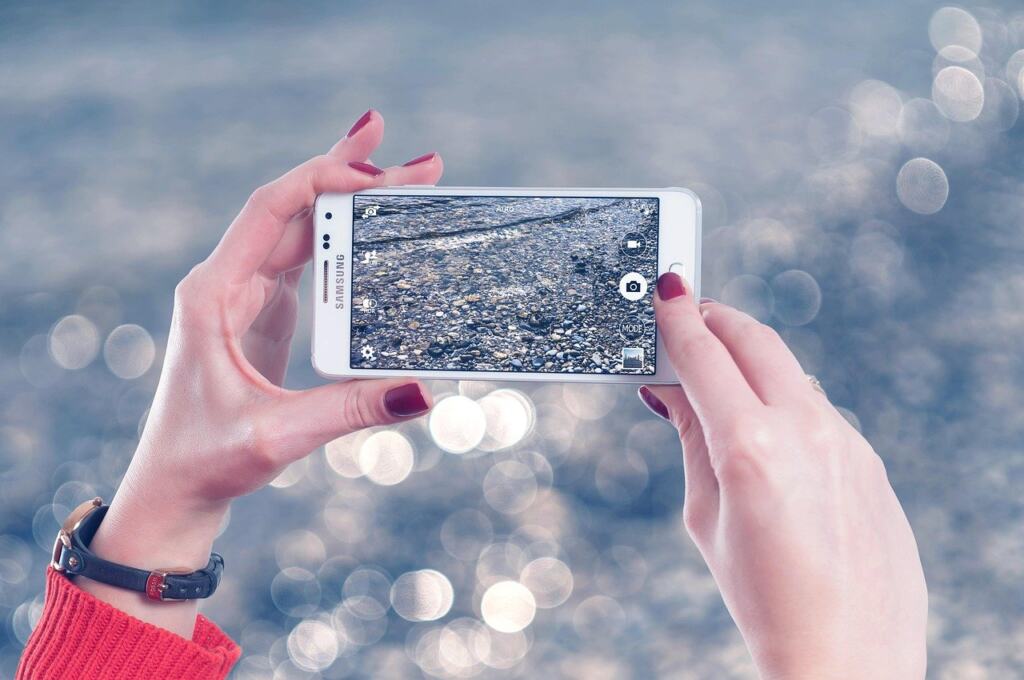
Many modern smartphones, such as an iPhone or a Samsung Galaxy, provide impressive camera capabilities, and both can shoot 4K video. That makes either family a legitimate starting point for memes, reaction clips and short vertical videos. A filmmaking equipment review goes further and says phones like the iPhone 14 come close to the capabilities of a filmmaking camera, while still noting that dedicated cameras outperform them.
Read those two statements together and the practical advice is clear. If you already own a recent iPhone or Galaxy, you have the camera you need. Replacing it with a newer handset purely for video is hard to justify when the limiting factors are usually elsewhere. The same Android-focused source that discusses basic gear names three tools that lift videos to a more professional level: stabilization, lighting and good sound. None of the three is a better lens. They are the supports around the phone, and the later sections of this page follow that same order.
If you are choosing between the two families, let your wider setup decide. Think about which laptop you will edit on, which accessories you have already bought and which handset you are comfortable operating one-handed while filming. A phone you know well produces better footage than a theoretically superior phone you fumble with.
When a dedicated camera is worth considering
A dedicated camera is a second-stage purchase. The same roundup suggests picking a camera with video features and manual settings if you are starting out with one, and it lists budget-friendly and higher-end options with prices as of its Dec 9, 2024 update: the Panasonic G85 at $598, the Panasonic Lumix GH5 II at $1297 and the Fujifilm X-H2S at $2399. Treat those as a snapshot of that date rather than current shelf prices.
The trade-off behind those prices is sensor size. Larger sensors generally provide better image quality and low-light performance, but at the cost of being expensive. That is the honest reason to upgrade: you shoot often in dim rooms and your phone footage no longer satisfies you. It is not a good reason if your videos look flat because of poor light or shaky hands, since a tripod and a light cost far less than any of the cameras above.
Meme and short-video work rarely needs that jump at the start. Wait until you can describe a specific shortcoming in your phone clips, then compare camera options against that shortcoming.
Frame rate as a setting, not a purchase
Frame rate is a setting you choose in the camera app. Standard frame rates are 24, 30 and 60 fps. Open your phone’s camera settings, see which of these it offers, and choose one before you start a project so every clip in the edit matches. Mixed rates in one timeline are an avoidable headache, and no extra gear is needed to avoid them.
Steadying the shot with a tripod
A tripod is the single accessory that most changes how professional a phone clip looks. Shots taken by holding the camera by hand can be shaky and unstable, while a tripod keeps the camera steady and gives clear, sharp images. For meme formats that depend on a locked-off frame, such as a talking-head reaction or a before-and-after reveal, a fixed position also lets you repeat a take without the framing drifting.
Head types and budget
Tripods come with four kinds of head: pan-tilt, gimbal, ball and fluid. The roundup notes that pan-tilt is the most budget-friendly. For a creator filming at a desk or a window, a simple pan-tilt head is enough, because you are mostly setting the frame once and leaving it. Fluid heads suit smooth camera moves, which matters more once you move up to a dedicated camera.
Prices in the same roundup run from the budget-friendly GEEKOTO Video Tripod at $99, through the Manfrotto BeFree Live Lever Kit at $249, to the 3 Legged Thing Bucky at $530. A retail listing snapshot from October 2026 shows an extendable phone tripod fitting 4.7-7 inch smartphones for THB 877.73, which shows that phone-specific tripods sit at the cheap end of the range. The decision rule is simple. Buy a phone tripod if a phone is your only camera, and check that your handset’s size falls inside the stated fit range. Choose a heavier video tripod only when you add a camera that needs it.
Selfie-stick combos and magnetic mounts
A Nov 2016 post on Android video gear described a selfie stick and tripod combination at $40, a bit pricey but worth every penny. The price is dated, but the idea holds: a combo that works as both a handheld stick and a standing tripod suits creators who film in several places and do not want to carry two items.
Mounting also depends on your phone case. If you use a magnetic mounting ecosystem, MagSafe Phone Cases Explained: What They Are, How They Work, And How To Choose One In 2026 explains what the cases are and how to choose one, which helps you avoid buying a mount your case cannot use.
Lighting: ring lights and small LEDs
Lighting is where an inexpensive purchase makes the biggest visible difference to a phone clip. Lighting is a critical component of filmmaking because it sets the mood, creates depth and lifts visual quality. A bright, even face in front of a plain background is the default look for reaction videos and spoken memes, and a ring light is the tool most creators reach for.
Ring lights for talking to camera
A large ring light gives a diffused, side-emitting glow while still providing plenty of light, according to a camera equipment guide. The soft spread is the reason it flatters faces. A retail listing snapshot from October 2026 shows a 50-inch ring light with stand and phone tripod at THB 1,012.82, with 3 colour modes and 10 brightness levels for selfies, video recording, TikTok and Zoom. A bundle like that combines two purchases from this page, the light and the tripod, which is why it appeals to beginners.
Choose a ring light if you mostly film yourself facing the camera at a fixed spot. The multiple colour modes and brightness levels let you match the room’s existing light, and the built-in stand means you do not need to assemble a separate support.
Compact LEDs and pocket lights
Not every clip is filmed seated at a desk. Panel-style LED lights such as the Neewer 660 LED Video Light are energy-efficient and adjustable, which makes them a flexible alternative to a ring light when you want to aim the beam rather than wrap it around the lens.
For quick lighting on the move, the 2016 Android gear post described a pocket spotlight at $18 with three brightness levels and around an hour of battery life at full brightness. The runtime is the condition to remember: running it at full blast drains it quickly, so it suits short clips rather than long sessions. A small light of this kind complements a ring light rather than replacing it.
- Choose a ring light if you film yourself at a fixed spot and want soft, even light on your face.
- Choose an adjustable LED if you move between locations or want to direct light at a product or prop.
- Choose a pocket light only as a backup or for short fill-in shots, given its limited battery life at full brightness.
Sound: microphones that suit a phone
Audio is the third support in the stabilization, lighting and sound set, and it is the one beginners tend to overlook. A caption-led meme can be silent, but any clip where you speak depends on clear sound. A small clip-on microphone stays close to your mouth regardless of how far the phone is from you.
One caution applies before you buy. Microphones for smartphones are different from other similar-looking microphones, so look for one labelled for smartphones rather than assuming any lavalier will plug in and work. The 2016 Android gear post priced the Movo PM10 lavalier at $15 and the Rode SmartLav+ at $80. Those figures are dated, but the gap between them shows the range: a budget clip-on is enough to test whether better audio improves your videos, and the pricier model is the upgrade if you speak to camera regularly.
If your plans include broadcasting rather than only posting recordings, the starter guide How To Live Stream: A Practical 2026 Starter Guide For Clear, Low-Latency Broadcasts covers the setup considerations for live work, where there is no chance to fix audio afterwards.
Editing on a laptop
To edit a meme on a laptop, pick one editor, import your clip or image, trim and arrange it, add text, and export a file for the platform you are posting to. The choice of editor is the only decision with real consequences, and the tools differ mainly in cost and learning curve.
Choosing video editing software
| Software | Platform and cost | Noted strength or limit | Planning use |
|---|---|---|---|
| Windows Movie Maker | Windows, free | Can be a very powerful free tool | A gentle start for Windows users on a budget. |
| iMovie | Mac, free | Can be a very powerful free tool | The obvious starting point for Mac owners. |
| DaVinci Resolve | Free version available | Known for powerful colour correction | Choose it if you want room to grow without paying first. |
| Adobe Premiere Pro | Steeper learning curve | Widely used, with extensive resources available | Pick it if tutorials and community help matter more than speed to first edit. |
The comparison above is based on the filmmaking tools guide, which describes Windows Movie Maker and iMovie as free tools that can be very powerful, DaVinci Resolve as having a free version with impressive capabilities, and Premiere Pro as having a steeper learning curve but extensive learning resources.
For a first meme edit, start with the free editor that matches your laptop, since these cost nothing and take the least time to learn. Move to DaVinci Resolve if you find yourself wanting to adjust colour or if you plan to grow into longer videos. Choose Premiere Pro mainly when you expect to rely on its many tutorials and are willing to climb a steeper learning curve.
A simple laptop editing routine
- Transfer the footage. Move the clip or screenshot from your phone to the laptop so everything sits in one project folder.
- Import and arrange. Bring the files into your chosen editor and place them on the timeline in the order you want viewers to see them.
- Trim first. Cut the dead air at the start and end of each clip before adding anything else, so the edit stays short.
- Add text last. Place captions once the timing is settled. If a caption needs a special character, How To Type The Degree Symbol On Any Keyboard: 7 Easy Methods For 2026 covers the keyboard shortcuts.
- Export and review. Save the finished file, then watch it once on your phone, where most viewers will see it, before posting.
Headphones also help at this stage because they let you check dialogue and background noise that laptop speakers can hide. If you also use your laptop at a desk for other work, 20 Cool Office Gadgets That Make Work Actually Enjoyable in 2026 collects desk-friendly additions that suit an editing station.
Which gadgets are worth buying first
Buy in the order that fixes your biggest visible problem. For most people filming with a phone, that means a tripod first, then a light, then a microphone, with lens add-ons and cameras last. The prices below are snapshots from two different dates and currencies, so use them to compare tiers rather than to budget to the cent.
| Gadget | Price in the snapshot | Planning use |
|---|---|---|
| Selfie stick and tripod combo | $40 (Nov 2016 post) | A flexible first support if you film in different places. |
| Pocket spotlight | $18 (Nov 2016 post) | A cheap fill-in light with limited battery at full brightness. |
| Movo PM10 lavalier microphone | $15 (Nov 2016 post) | A low-cost way to test whether better audio helps. |
| Rode SmartLav+ lavalier | $80 (Nov 2016 post) | The step up if you speak to camera often. |
| Extendable phone tripod (fits 4.7-7 inch phones) | THB 877.73 (Oct 2026 listing) | Check your phone’s size against the fit range first. |
| 50-inch ring light with stand and phone tripod | THB 1,012.82 (Oct 2026 listing) | Covers light and support in one purchase. |
| Macro and wide-angle lens kit for iPhone and Android | THB 1,350.54 (Oct 2026 listing) | An optional extra, not a first buy. |
Prices come from a 2016 Android video gear post and retail listings captured in October 2026; the dollar and baht figures are not directly comparable.
What the price snapshot suggests
Look at where the money goes. A support, a light and a microphone together cost far less than the cheapest camera in the earlier roundup, and each one fixes a problem that viewers notice immediately: shaky frames, dim faces and muffled speech. A lens kit adds creative range, but it does not address any of those basics, which is why it comes last on the list.
The 50-inch ring light bundle is the most efficient purchase for a creator who films themselves at a fixed spot, because it covers both light and support. The separate tripod, light and microphone route suits someone who films in several rooms or outdoors and wants each piece to work independently.
Using a phone as a webcam at your desk
If you record or stream from the same desk where you edit, a phone on a stable mount can replace a basic laptop camera. Readers often ask: can i use my phone as a webcam, and that guide compares the approach with a dedicated webcam for content creation.
Browsing gadgets beyond the core kit
Once the core kit is in place, wider gadget roundups help you spot extras. Cool New Gadgets In 2026: Smart Picks For Everyday Life and 7 Cool Gadgets For Guys In 2026: Practical, Fun, And Worth Buying cover general consumer technology, so treat them as inspiration and apply the same test: does this purchase fix a problem in my videos?
Accessories, upkeep and connectivity
The remaining decisions are small but practical, and they affect how smoothly the kit works day to day. A phone is the centre of this setup, so what you attach to it and how reliably it connects both matter.
The broader accessory landscape, including chargers, mounts and cases, is covered in Best Mobile Phone Accessories In 2026: Essential Picks, Smart Buying Tips, And Compatibility Advice, which is the place to check compatibility before buying anything that clips or plugs into the handset. If you use a clear case on your phone, How To Clean A Clear Phone Case: Simple Steps To Keep It Crystal Clear In 2026 shows how to keep it looking clean.
Posting and uploading also depend on a usable connection. If coverage is a regular obstacle where you film, How To Boost Your Cell Phone Signal: 7 Simple Fixes That Actually Work In 2026 lists fixes to try, and Do Cell Phone Signal Boosters Work? A Practical Guide To Improving Coverage In 2026 helps you decide whether a booster is worth buying.
Low-light shooting is a different challenge from a bright, well-lit desk. For night scenes, How To Shoot The Northern Lights With Your Smartphone: A Simple 2026 Guide To Stunning Aurora Photos shows what a phone can do without extra lighting gear.
Frequently asked questions
Is 120 fps worth using for short videos?
Use it when you want slow motion. Higher frame rates, such as 120 fps, allow slow-motion footage, so it is a creative option for action or comedic replays rather than a default setting.
What helps if lightweight phone footage looks shaky even on a support?
Lighter cameras tend to shake and vibrate more, so consider adding weight to your rig. A heavier support is steadier than a very light one, which is a reason to avoid the flimsiest tripods.
Can one ring light hold more than one phone?
Some can. A large ring light described in one equipment guide holds two phones at once and comes with a remote control, which suits creators who record from two angles or want to film on one phone while running another.
Is a macro and wide-angle lens kit worth buying?
It is optional. A kit for iPhone and Android appeared in an October 2026 retail listing at THB 1,350.54, but it does not address shakiness, dim light or poor sound, so buy it only after the tripod, light and microphone are sorted.